Your AI can't see this.Vouch can.
Catches what eyes miss using foundational design rules — every issue highlighted where it lives. Browse in the extension, pipe through MCP, or export to your AI.
Chrome extension · No account required
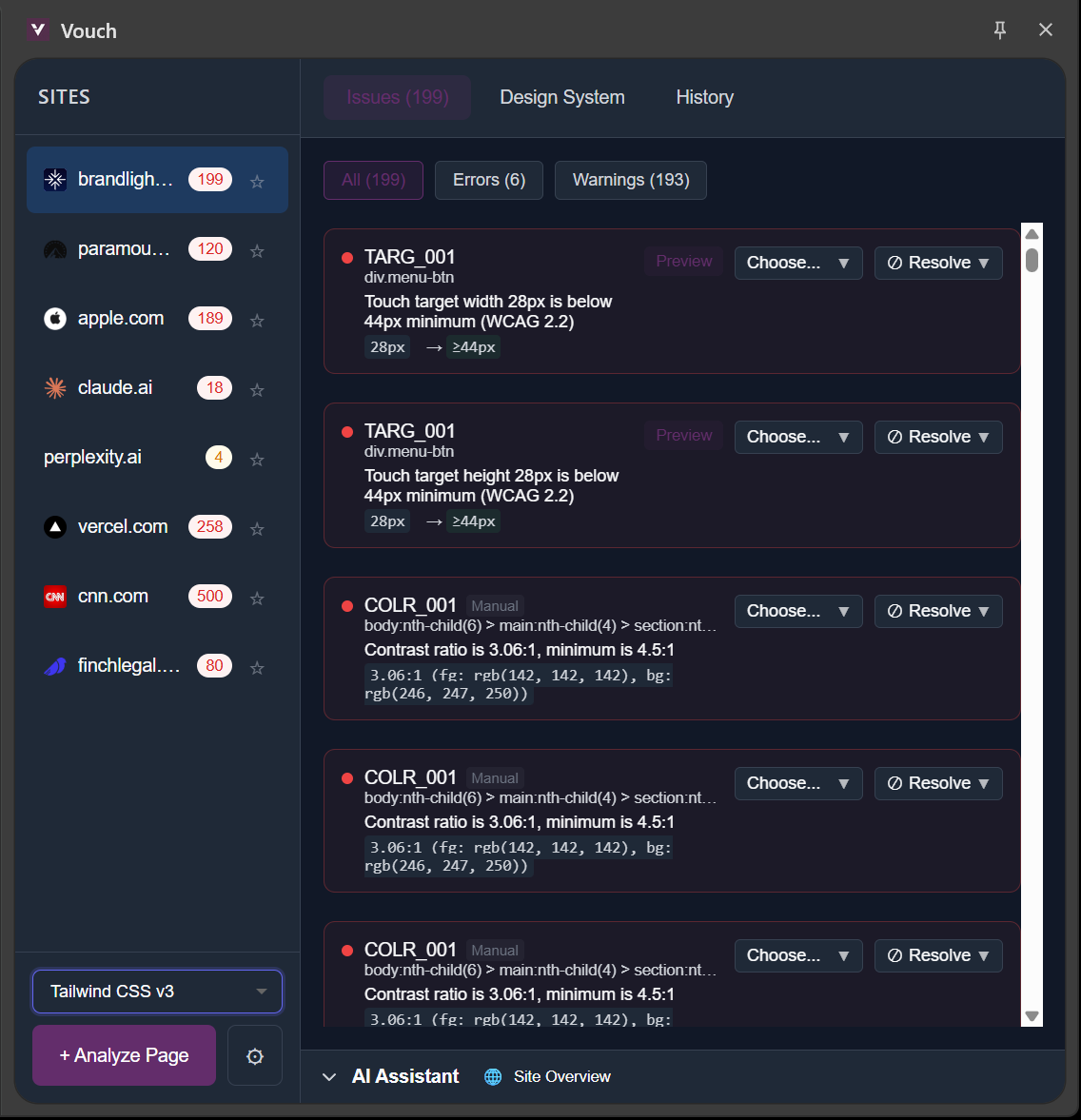
73 rules
You know something's off. You just can't name it.
Maybe you're shipping fast with AI tools and the output looks generic. Maybe you're a developer who never learned design principles. Maybe you're a designer who wants a second opinion. Either way — Vouch flags what's broken and what's drifting from foundational design rules, then gives your AI exact fixes.
For anyone who builds websites
AI-Assisted Developers
Shipping with Cursor, Bolt, or Claude? Vouch catches what your AI can't see.
Developers Without Design Training
You make things work. Vouch makes them look right.
Designers Who Want Validation
Trust but verify. Vouch is your objective second opinion.
Run. Copy. Ship.
Three steps to pixel-perfect UI
- 1
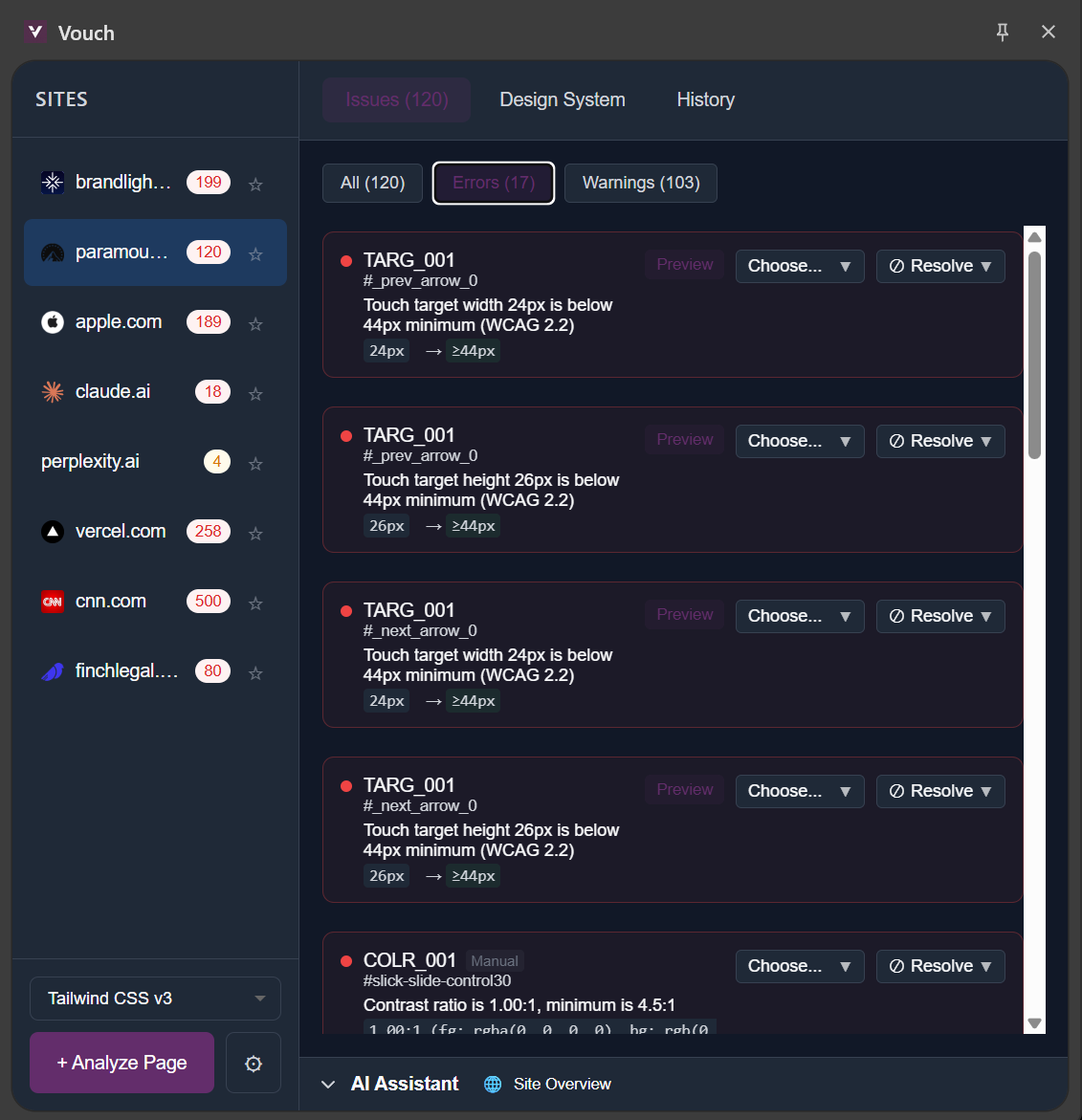
Run Vouch
Click the extension. Instant analysis. See every spacing violation, rogue color, and broken shadow highlighted on your page.
- 2
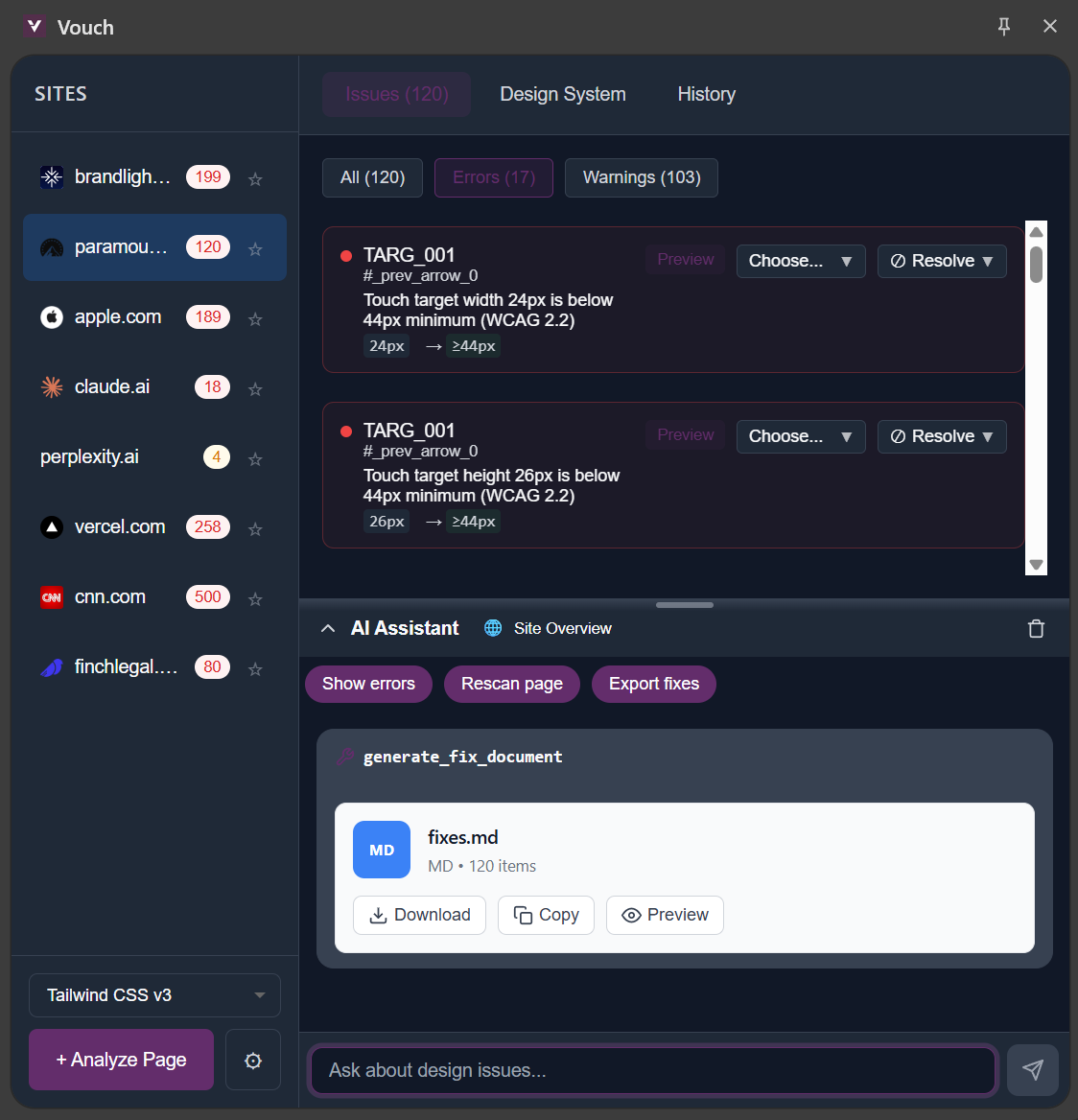
Copy to AI
One click exports all violations in a format Claude/Cursor understands. Specific issues. Specific fixes.
- 3
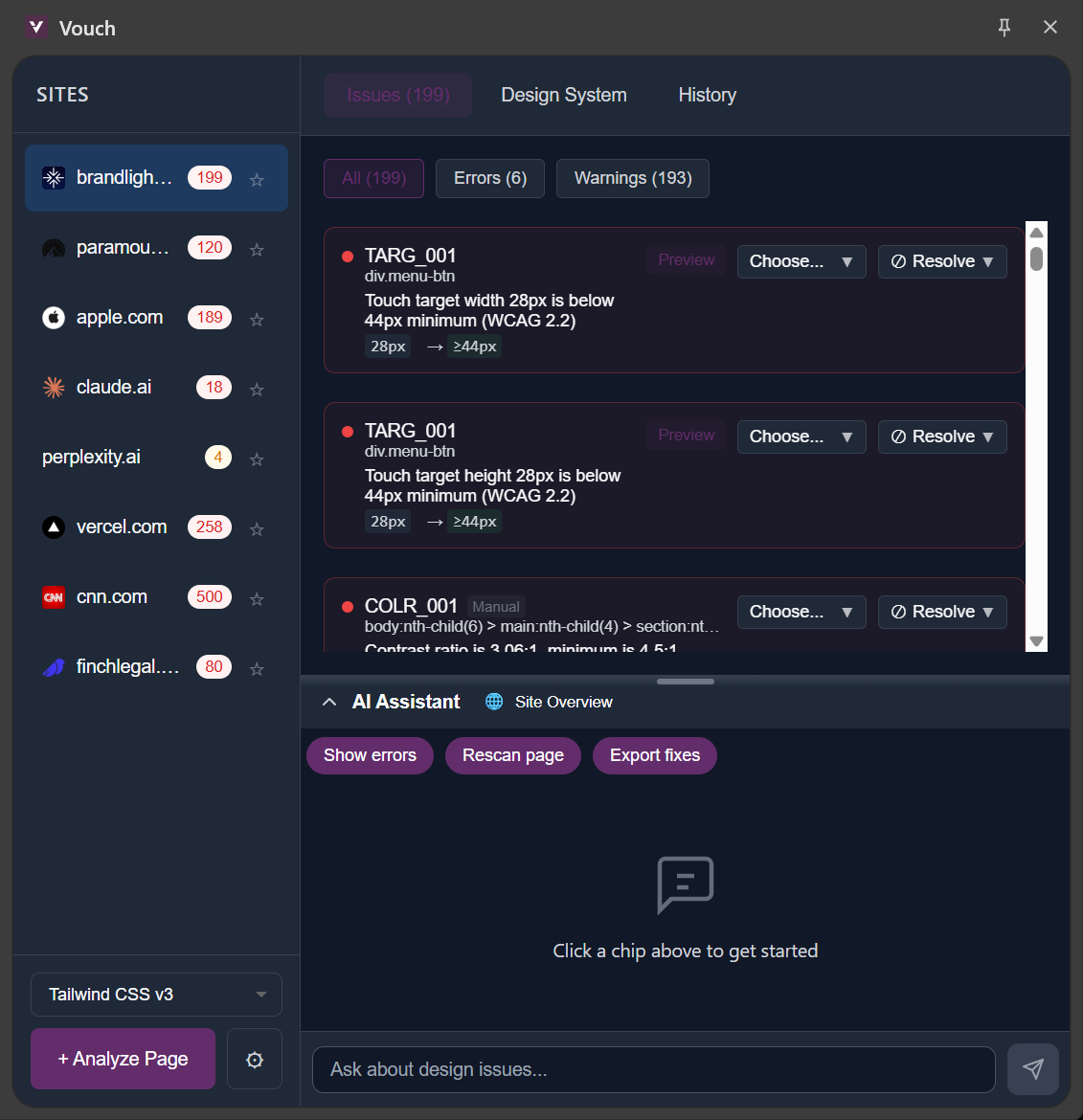
Ship polished
Your AI fixes the issues. Run Vouch again. 1-2 cycles. Done.
What you get
See what's wrong
Click any error. See expected vs. actual. No guessing.
Paste and fix
Output optimized for Claude, Cursor, ChatGPT. Your AI gets instructions, not vibes.
Tailwind out of the box
Start immediately. Or import your own design tokens.
MCP integration and CI/CD output (SARIF) available for power users.
73 rules. Zero opinions.
Covering spacing, typography, color, shadows, alignment, accessibility, touch targets, and components. Most are purely mathematical —is this divisible by 8?oris contrast ≥ 4.5:1?Deterministic checks your AI can act on.
Off-grid values, inconsistent margins, inner > outer padding
Wrong sizes, poor line heights, too many fonts
Rogue hex codes, contrast failures, muddy variations
Light-from-below, pure black shadows, wrong opacity
Near-misses, uneven gutters, visual imbalance
Missing focus indicators, removed outlines, color-only states
Undersized buttons, cramped tap spacing
Button height variance, inconsistent inputs, missing hovers
| Category | Rules | What it catches |
|---|---|---|
| Spacing | 7 | Off-grid values, inconsistent margins, inner > outer padding |
| Typography | 12 | Wrong sizes, poor line heights, too many fonts |
| Color | 11 | Rogue hex codes, contrast failures, muddy variations |
| Shadows | 5 | Light-from-below, pure black shadows, wrong opacity |
| Alignment | 21 | Near-misses, uneven gutters, visual imbalance |
| Accessibility | 3 | Missing focus indicators, removed outlines, color-only states |
| Touch Targets | 6 | Undersized buttons, cramped tap spacing |
| Components | 8 | Button height variance, inconsistent inputs, missing hovers |
Example: What Vouch catches
Frequently Asked Questions
How is Vouch different from asking AI for design feedback?
AI feedback hallucinates. It says 'looks good!' when it doesn't. Vouch is deterministic — same input, same output. When Vouch says contrast is 3.8:1 and needs 4.5:1, that's not an opinion. That's a WCAG violation.
What design rules does Vouch check?
73 rules across 8 categories: spacing, typography, color, shadows, alignment, accessibility, touch targets, and components. Most are deterministic checks — "is this divisible by 8?" or "is contrast above 4.5:1?" Tailwind preset included; custom design tokens supported.
Does Vouch work with my framework?
Yes. Vouch analyzes rendered CSS in the browser, not source code. React, Vue, Svelte, vanilla HTML — whatever you're building with.
Is my code sent anywhere?
No. Vouch runs entirely in your browser. Nothing leaves your machine.
I'm a designer. Is Vouch useful for me?
Yes. Vouch catches things human eyes miss — spacing that's 1px off, colors that drifted from your tokens, shadows that break light physics. Think of it as a design spellchecker.
Stop second-guessing. Start shipping.
Chrome extension · No account required